AI Workspace Explained: What It Is and How It Works
You have a contract PDF in one window, a chatbot draft in another, and a spreadsheet of invoices you keep jumping back to. The answer you liked sits three prompts deep in a thread you can't find, and you're not sure the model even saw the latest file.
That's the ordinary mess an AI workspace is meant to tidy. Before you trust one, it helps to know what it does, and what it still leaves on you.
Table of Contents
- Why Scattered AI Tabs Are Becoming a Problem
- What an AI Workspace Is and Why It Matters
- How Models, Files and Workflows Fit Together
- Use Cases and How to Verify What the Workspace Produces
- Privacy Questions to Ask Before Uploading Files
- Pick an AI Workspace Based on Your Next Task
Why Scattered AI Tabs Are Becoming a Problem
An AI workspace is one place where you use several AI models, keep your files attached to the work, and run multi-step tasks without juggling browser tabs. Copying answers between tools often costs more time than the tools save.
A researcher has four browser tabs open, one for a chatbot, one for a second chatbot, one for a PDF, and one for a spreadsheet. They're trying to remember which tool produced which answer, and the next tab has none of that context.
That friction is what pulls people toward a shared space. Stanford University's 2025 AI Index reports that the share of surveyed organizations using AI rose from 55% in 2023 to 78% in 2024, a sign of direction rather than a census of every organization.
Practical rule: If you can't say which tab produced the answer, you don't have a record. You have a pile.
If several agents already touch the same job, keeping developers and AI agents aligned is a concrete read on who owns each handoff.
Next comes a plain definition, how models, files, and workflows fit together, use cases by role with checks before use, the privacy questions to ask before uploading material, and a five-step test for whether a workspace solves a problem you have.
What an AI Workspace Is and Why It Matters
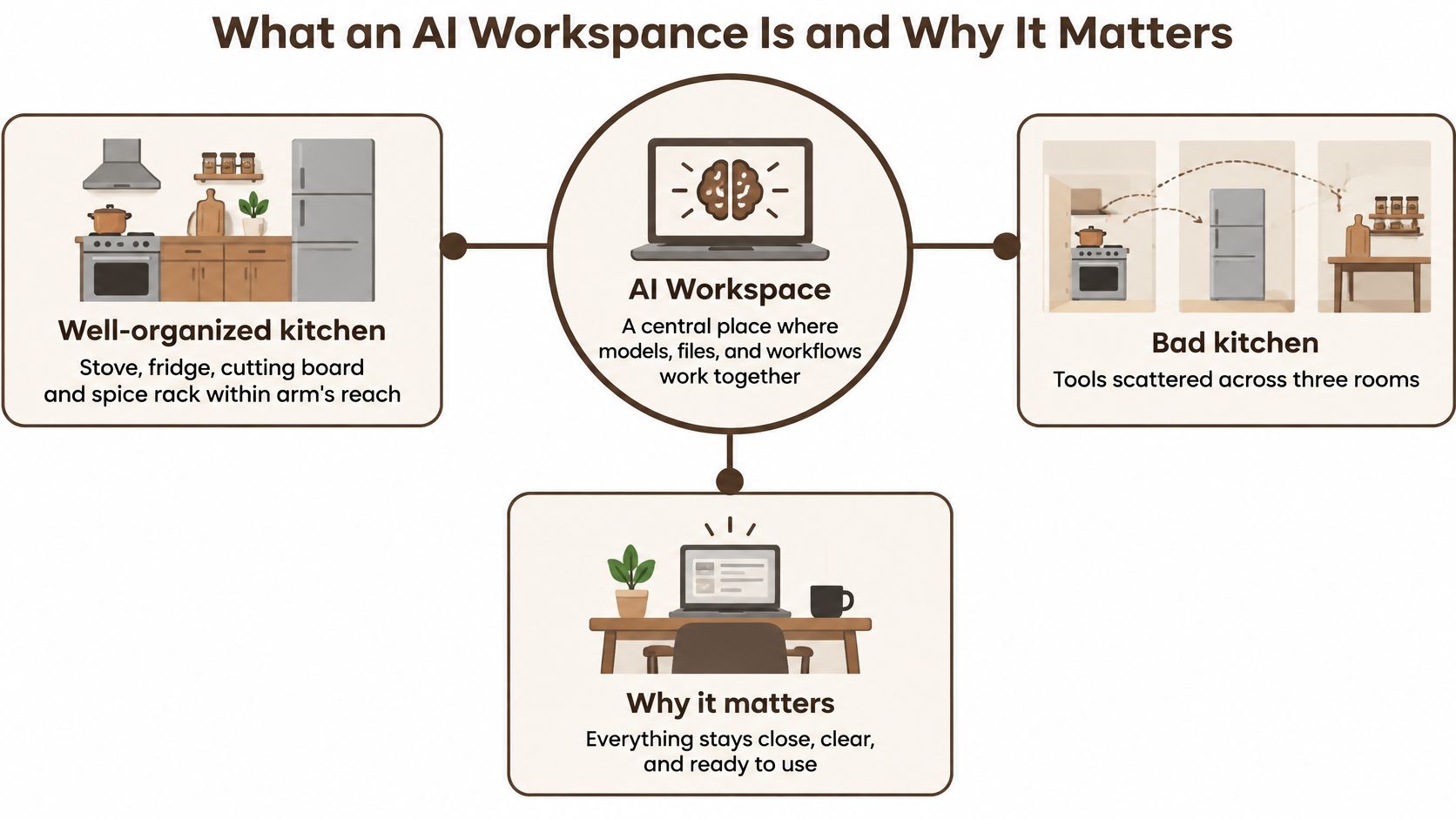
A well-organized kitchen keeps the stove, fridge, cutting board, and spice rack within arm's reach. A bad one scatters them across three rooms. An AI workspace is the kitchen for AI work. It's one environment where you reach several models, keep your files attached to the job, keep the conversation in one place, and run multi-step tasks.
The same contrast, drawn as a simple map, looks like this.
BromeAI started from that scattered kitchen. People working with AI end up paying for three or four subscriptions that don't work together, keep several tabs open, and guess which one to ask.
| Component | Separate AI tools | AI workspace |
|---|---|---|
| Model access | One subscription per provider | Several providers under one subscription |
| Files | Uploaded again to each tool | Stored in one case and analyzed together |
| Conversation history | Separate tabs and threads | One thread that carries over when you switch models |
| Model choice | You guess which model fits | Automatic routing or a manual model picker |
| Multi-step tasks | Results copied between tools by hand | Workflows that report sources once steps finish |
| Privacy review | Terms checked separately for each provider | One workspace policy to review alongside each provider's terms |
Model access is one login instead of a new plan each time you want another provider. Files stay in the case, so the contract isn't uploaded again for the invoice check. Conversation history carries over when you change models, which separate tabs can't do. Model choice can be handed to routing or kept in your hands. Multi-step tasks come back with sources instead of a paste chain. Privacy review still isn't automatic. You start from one workspace policy, then read each provider's terms beside it.
A short walkthrough of how a shared workspace feels in daily use sits below.
A workspace is a layer that organizes access and context. The quality of any answer still depends on the model behind it and on how the question was written.
How Models, Files and Workflows Fit Together
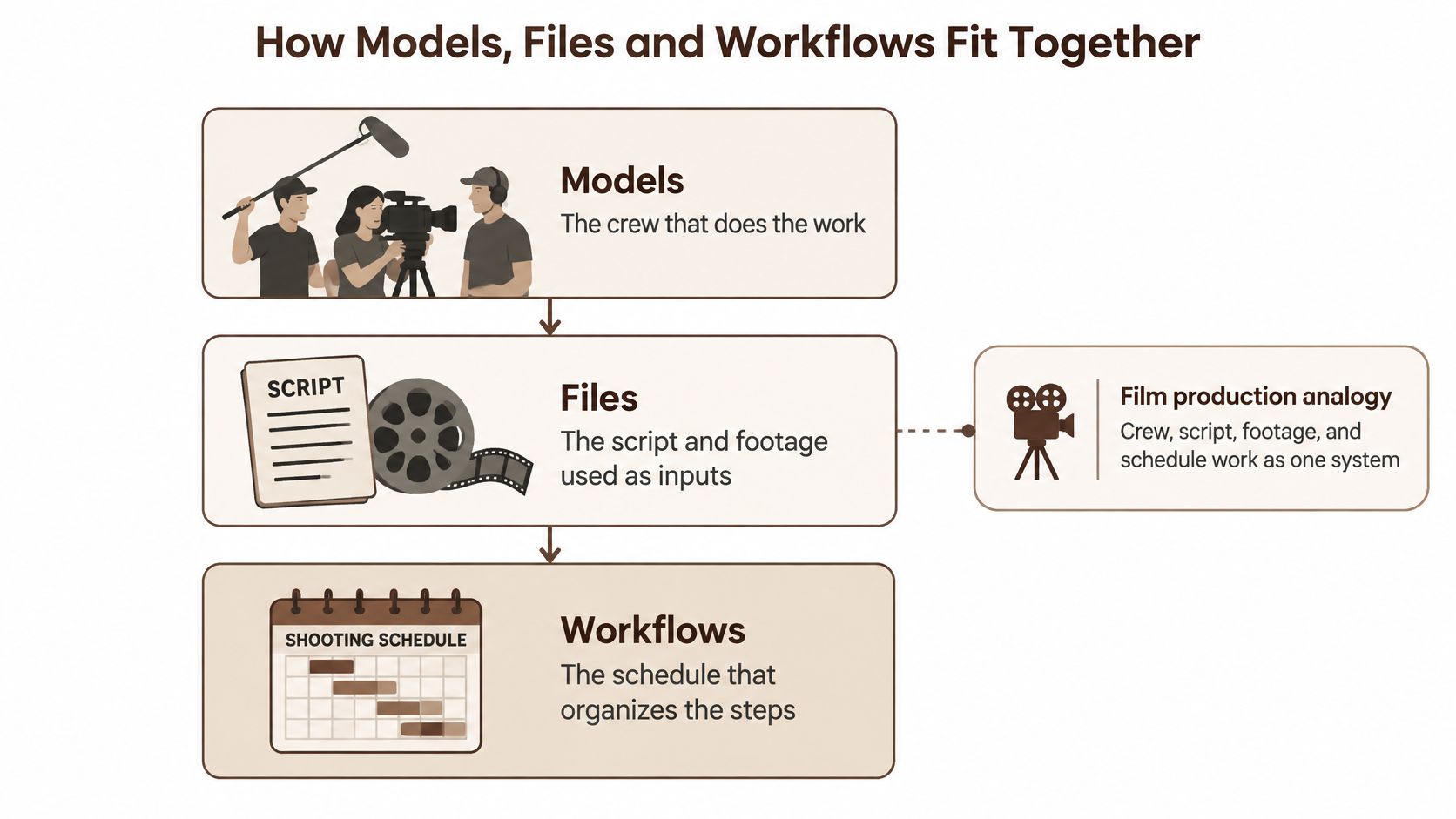
Treat the workspace as a small film production. The crew does the work, the script and footage are the inputs, and the shooting schedule keeps the steps in order. None of those pieces is useful if the others are in a different building.
The model layer
Models are the crew. One conversation can draw on providers such as ChatGPT, Claude, Gemini, Mistral, DeepSeek, Perplexity, and Qwen. You can switch model mid-conversation without losing the thread you already built.
Automatic routing assigns each query to a suitable model in an ensemble rather than sending everything to one fixed model. LLMRouterBench evaluates that mechanism using more than 400,000 instances drawn from 21 datasets and 33 models, covering both answer quality and inference cost. That's why a workspace can pair delegated choice with a manual picker. Our automatic routing sits beside that picker, so you can take the suggestion or override it when you already know which provider you want.
The file layer
Files are the script and the footage. A contract, its invoices, and a spreadsheet can sit in one case and be read together. That's how you notice a duplicate invoice, or a clause that doesn't match the payment table, without pasting cells into a chat box by hand.
The workflow layer
Workflows are the shooting schedule. With agentic tasks, you describe the outcome. Brome breaks the job into tasks you can see before anything runs, and it reports back with sources once every task is done. You still decide whether that report is good enough to use.
Say you're reviewing a supplier contract. You ask for risky clauses first. You then attach the invoices and the payment spreadsheet so the numbers sit next to the wording. An agentic pass reads those files and returns sources for each finding. You open the clause yourself before anyone signs.
Use Cases and How to Verify What the Workspace Produces
The useful question isn't which role "gets AI." It's which task you're about to hand over, and what you will check before you keep the result.
| Role | Typical task | Feature to use | Check before use |
|---|---|---|---|
| Student | Summarize a lecture PDF and quiz yourself | Document analysis with one thread per course | Compare the summary with the course text |
| Researcher | Compare web sources on one question | Agentic web search with source reading | Open each cited source |
| Engineer | Debug code and get a second reading | Manual model picker for a different model's answer | Run and test the code |
| Creator | Draft an article and generate images | Image generation in the same chat with variations | Verify facts and image usage rights |
| Business professional | Review a contract against invoices | Combined analysis of PDF, DOCX and XLSX files | Human legal or finance sign-off |
A student keeps one thread per course so last week's lecture doesn't bleed into this week's quiz. A researcher should open every link, not the tidy paragraph that cites them. An engineer who only reads the explanation hasn't finished the job until the code runs. A creator who generates images in the same chat still has to check facts and usage rights. For contracts and invoices, document analysis can put the PDF, the DOCX, and the spreadsheet in one case. A person in legal or finance still signs off.
Where the baton gets dropped
Think of the job as a relay. Each model, each file, and each agentic step passes the baton. A dropped handoff is hard to notice at the finish line, because the last paragraph still looks smooth.
Automatic routing does not make answers more accurate by default. It only chooses a model. The result still needs checking, same as a draft from a colleague you trust.
A risk ladder and the record to keep
Low-risk uses are brainstorming, summaries, and formatting. A miss is annoying, not costly. High-risk uses are contract interpretation, financial figures, academic claims, and production code. Those need a person who can be wrong in public and still stand behind the result.
Keep an audit trail you could show someone else:
- Selected model: name the model that wrote the passage you kept.
- Sources retrieved: list what was opened, not only what was quoted.
- File versions: note the filename you actually uploaded.
- Intermediate actions: record searches, redlines, and image passes.
- Uncertainty: keep the lines the workspace flagged as unsure.
- Approver: name the person who said this version could leave the workspace.
Three habits cover most of that record. Open every cited source before you quote it. Switch models when a conclusion matters, and see whether the second reading agrees. Write the file version name into the final document so next month's reader isn't guessing.
A clean answer with no trail is harder to defend than a rough answer with sources.
Privacy Questions to Ask Before Uploading Files
Legal compliance is a promise a provider makes. Technical safeguards are controls you can test. Those are not the same thing, and a badge on a homepage doesn't settle the second one.
BromeAI is operated by Polyware, SAS, with its registered office at 47 rue Vivienne, 75002 Paris, France. We state that our European workspace does not use submitted data to train AI models. Treat that as a starting point. The wording you should read is in our privacy notice.
Questions worth asking any workspace
- Where does processing happen? Storage in one region doesn't tell you where a temporary step runs.
- How long do logs and backups persist? A deleted chat can still sit in a backup you never see.
- Does each model provider receive prompts or attachments? Routing can send a file further than the screen suggests.
- How does deletion reach every copy? You want the file gone from storage and from search, not only from your list.
- Which administrators can open content? Support and IT access should be named, not assumed.
- Does zero retention still allow abuse monitoring or legal disclosure? A short retention promise can have narrow exceptions. Ask what they are.
Four classes of material
Personal data needs a clear retention limit, a training exclusion, and a way for the person to delete it. Confidential business material needs named admin roles and a check on which providers receive the file. Regulated material needs a retention schedule you can explain to an auditor, plus contracts that match that schedule. Highly sensitive material, such as health details or credentials, should be redacted or kept out until a deletion test has already passed.
Delete a harmless test file first. Confirm it disappears from storage and from search before you upload anything real.
Pick an AI Workspace Based on Your Next Task
Don't pick a workspace from a feature grid. Pick it from one job you already have this week.
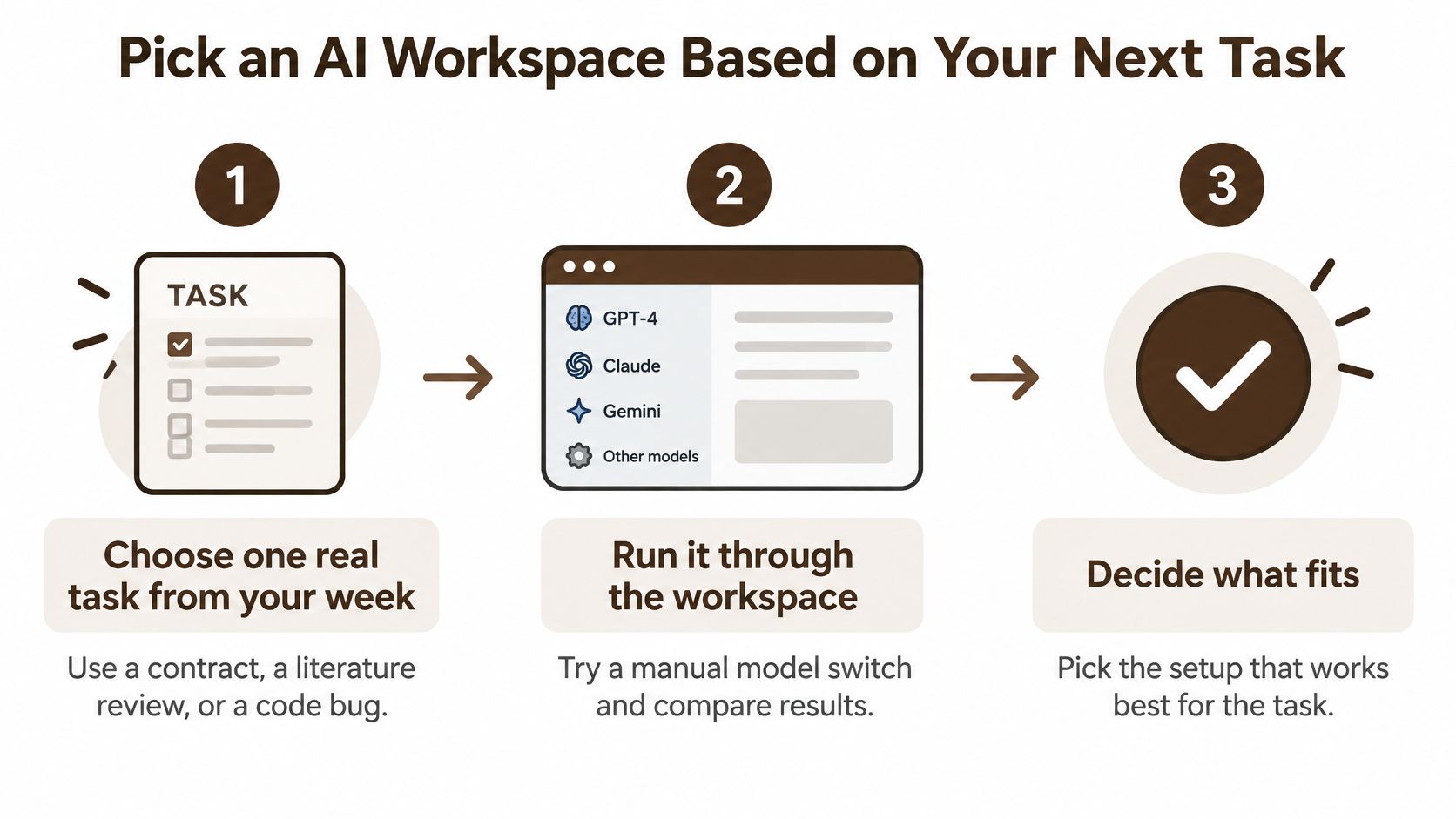
- Choose one real task. Use a contract, a literature review, or a code bug, not a toy prompt.
- Run it, then switch models. Compare two answers on the same files and note where they disagree.
- Check every cited source. Write down any claim you can't verify from the file or the page.
- Answer the privacy list and test deletion. Use a harmless file, then look for it in storage and in search.
- Compare with what you already pay for. If the workspace doesn't retire a subscription or a tab you use, it hasn't earned a place.
Students who live in lecture notes can compare tools in AI note-taking recommendations from ClassLecture.ai before they decide a full workspace is even the right shape.
BromeAI is one example to put through that test. It's a European platform that brings ChatGPT, Claude, Gemini, Mistral, and other models together, with web, iOS, and Android access and conversations that sync, so you can start on a laptop and continue on a phone.
An AI workspace is worth using when it reduces friction without reducing the reviewing you still owe your work.
BromeAI keeps several frontier models, your files, and multi-step tasks in one European conversation, and it states that what you submit isn't used to train the models. If the checks above match how you already review your work, open BromeAI and run one real task from your week against the privacy list before you move anything sensitive. Keep the audit trail, and keep the final sign-off with a person.
Published via Outrank app