AI PDF Summarizer That Keeps Context Intact
The most repeated advice about choosing an AI PDF summarizer is to compare tools on accuracy and pick the highest score. That test is backwards. A tool can score well on a clean twelve page report and still hand you a fluent paragraph that drops a 30 day notice period, merges two invoices into a single total, or turns a hedged finding into a stated cause. None of those failures look like failures on the page. They look like good writing.
So the test I use is narrower. Every claim in the summary has to be traceable to the page it came from, and the summary has to arrive with that record attached. The aggregate score matters far less than the citation, because one missing exception outweighs a strong average.
What follows is the workflow I run on contracts, research papers, invoice bundles and scanned reports: a five item must-keep list written before upload on one end, and a seven field evidence record attached before the summary leaves your hands on the other.
Table of Contents
- What Your PDF Summary Must Still Contain
- How to Summarize a PDF in Six Stages
- Check Every Claim Against the Source Pages
- Repair Summaries That Drop Context
- Keep Sensitive Pages Out of the Prompt
- Record the Evidence Before You Send the Summary
What Your PDF Summary Must Still Contain
A summary is finished when the items that carry consequences survived the compression and stayed attached to the condition that governs them. Everything else is style.
Four documents go through this test most often. A services contract has to keep the parties, the dates, the fees, the duties, the exceptions and the exit terms. A research paper has to keep the question, the method, the result and the stated limits. An invoice bundle has to keep the vendor, the invoice number, the tax, the total and any duplicate. A scanned report has to keep its page numbers and a clear note on whether the words are real text or only a picture of a page. Miss one of those and the summary has failed, however clean the prose reads.
| Document | Must keep | Most damaging miss |
|---|---|---|
| Services contract | Parties, dates, fees, duties, exceptions, exit terms | An exception or notice period dropped |
| Research paper | Question, method, result, stated limits | A limit or sample size omitted |
| Invoice bundle | Vendor, number, tax, total, duplicates | Two invoices merged into one total |
| Scanned report | Page numbers and whether the text is real | Names or figures read off a bad scan |
Two axes that cannot cover for each other
Coverage asks whether those items appear at all. Faithfulness asks whether anything was invented, softened, or stripped of its condition. A summary can score well on the first and fail the second, which is exactly how a document review goes wrong in practice.
Overlap metrics such as ROUGE can look strong while a date is wrong or a not clause has disappeared. Fluency is not a finish line.
The format underneath explains part of the difficulty. Adobe introduced PDF at the Windows and OS/2 Conference in January 1993, and PDF 1.7 was standardized as ISO 32000-1:2008 on July 1, 2008, according to the documented history of PDF, with ISO reporting that billions of PDF files now exist and thousands of applications support the format. A PDF is not a text file. It can carry fixed page layouts, embedded fonts, images, hyperlinks, tables and scanned pages, and a scanned PDF may hold nothing but page images until OCR adds a machine-readable text layer. A plain text dump is not the document.
Write the must-keep list before you upload
This takes four minutes and it turns every later section into a grading exercise rather than a vibe check. For a contract, the list usually reads: parties and their exact legal names, effective and renewal dates, fees and payment terms, obligations each side owes, exceptions and termination rights.
Do this first: write five items you will check in the output, in your own words. If the summary cannot answer all five with a page number, it is not done.
How to Summarize a PDF in Six Stages
Run a twenty page services contract through this and the shape of the problem becomes obvious. A model handed raw extracted text has no idea which pages were photographs, which table columns belonged together, or where clause 12 ended.
The pipeline below is the order that matters, and each stage has a failure mode attached.
1. Classify every page. Digital text, a scan, or a mix. If pages 14 to 16 of that contract are a signed scan dropped in as an image, treating them as text produces either an empty section or an invented one. A staged pipeline starts here rather than at the prompt, as the comparative evaluation of extraction and summarization pipelines sets out.
2. Extract text with the layout intact. Keep page numbers, headings, tables and reading order. If the fee schedule is a two column table and a liability clause sits in a sidebar, flattening both into one stream attaches the wrong figure to the wrong service.
3. Run OCR only on image regions, and measure it. Report character error rate and word error rate separately. One specialized end-to-end pipeline reached 98.70% character-level accuracy and 97.71% word-level accuracy, while conventional OCR degraded on scanned and complex-layout documents, per that same evaluation of extraction accuracy. Ordinary OCR is where a stamped 30 becomes an 80.
4. Chunk along the document's own sections. Chunking every eight pages splits clause 12 across two chunks, and the exception lands in a chunk summarized without its condition. Boundaries should follow headings, not page counts.
5. Summarize each chunk, then combine. Twenty pages squeezed into a single prompt loses the middle. Section notes first, one short synopsis second.
6. Stop at a cited draft. Do not polish it yet. If OCR confidence is poor, a page region is missing, or reading order broke, flag the file. Treat clean output as unproven: that benchmark removed OCR-unreadable PDFs before testing, so a tidy demo score does not represent a phone photo of a signed page.
What to ask the tool instead
You cannot classify pages or run OCR by hand, so convert each stage into a question about what the tool shows you. Does it name the pages that were image only. Does every bullet carry a page number. Does it list pages it skipped. Will it quote a condition verbatim rather than paraphrase it. Will it let you search in PDF documents to jump straight to the clause behind a line.
A working instruction looks like this.
Summarize pages 1 to 20. Keep parties, dates, fees, duties, exceptions and exit terms. Put a page number after every bullet. Quote any except, unless or subject to clause word for word. List any page you could not read.
Reject a draft that answers as one undifferentiated block, because no page anchor can attach to it. If the tool shows no page markers anywhere, you have a general impression rather than a summary. When the review is long, it helps to listen to long reports hands-free while you follow the anchors on screen.
Check Every Claim Against the Source Pages
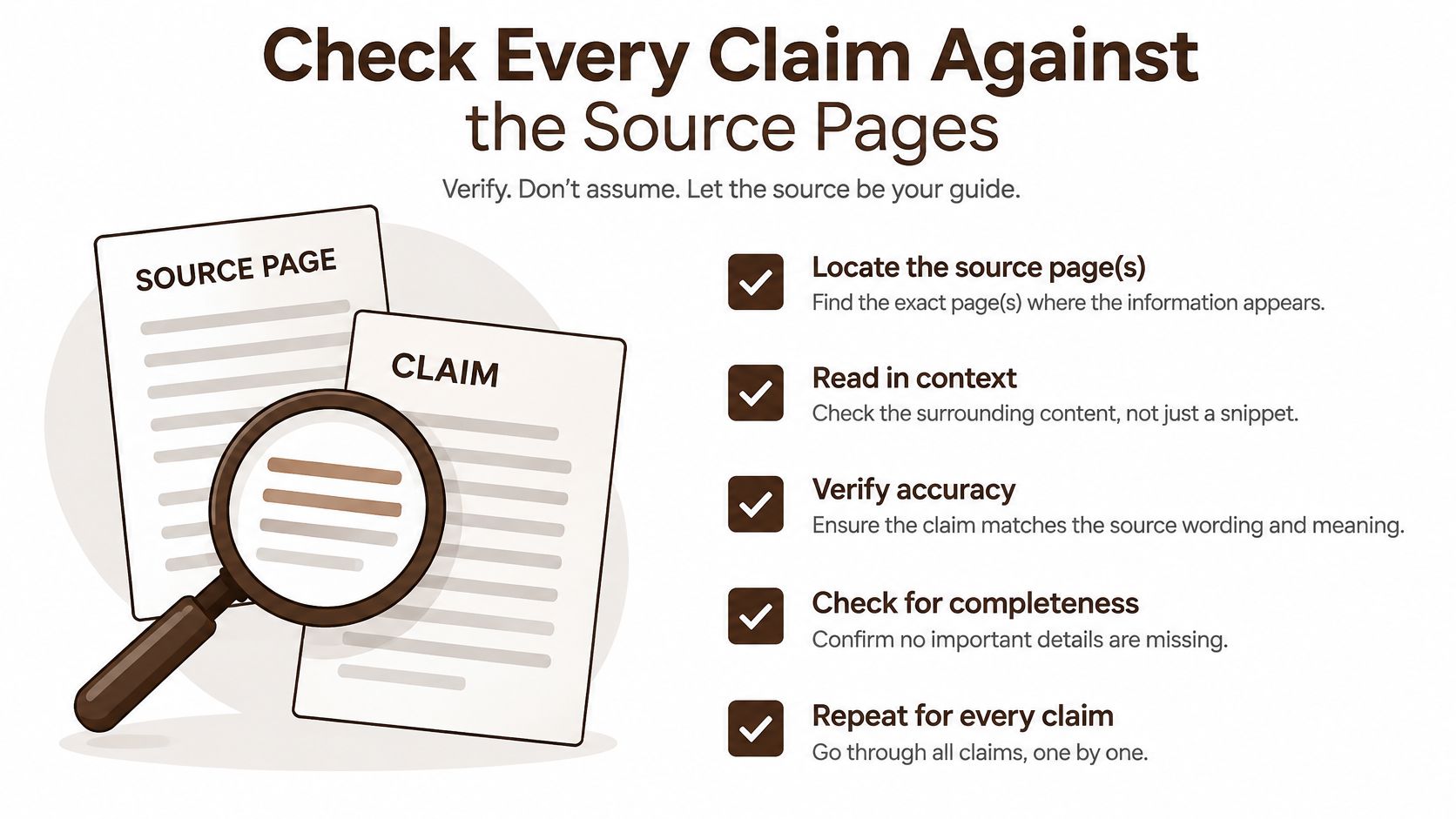
A cited draft is a candidate, not a summary. The audit is what turns one into the other, and it runs claim by claim rather than across the whole block of prose.
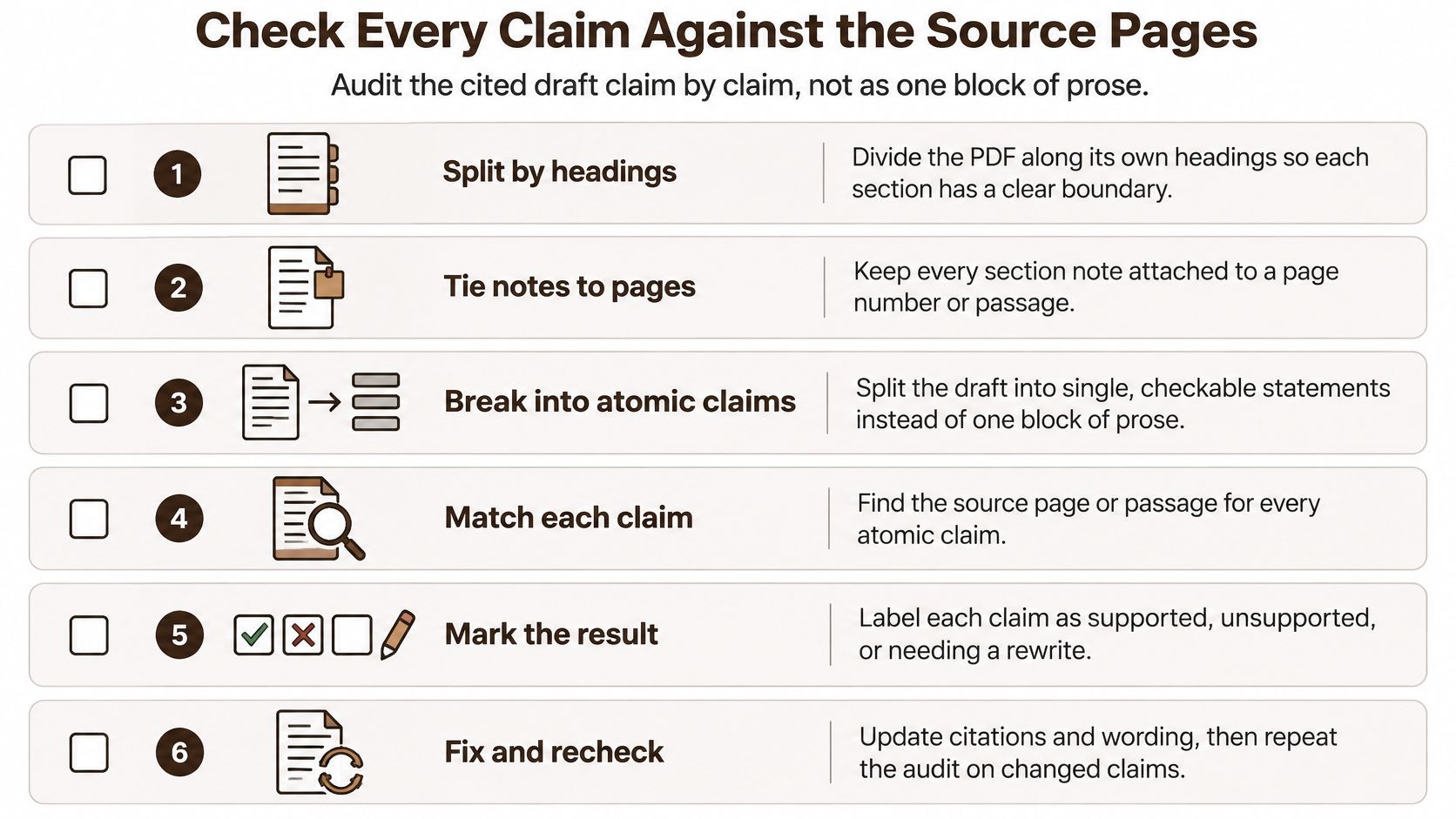
- Split the PDF along its own headings so each section has a clear boundary.
- Keep each section note tied to a page or passage as you go.
- Break the draft into atomic claims, one fact per line.
- Pull the closest source span for each line.
- Label the line as entailed, contradicted or unsupported.
- Delete or rewrite anything unsupported before the synopsis is shared.
One clause, one dropped condition
Page 7 of the contract reads that either party may end the deal on 30 days notice except during the first 12 months. A draft that says either party may end the deal on 30 days notice has dropped the exception. That line is unsupported even when every other line in the paragraph checks out, and the sentence still sounds confident.
The same three moves catch the other two familiar errors. A statistic that quietly becomes a cause needs the original sentence beside it. A footnote the model never opened is not evidence, whatever the draft implies.
| Label | What it means | What you do |
|---|---|---|
| Entailed | The source passage states the same fact with the same conditions | Keep the line and its page anchor |
| Contradicted | The source passage gives a different date, figure or party | Replace the line with the source wording and recheck the anchor |
| Unsupported | No source passage states the fact, or the condition is missing | Delete the line or rewrite it from the page |
| Unreadable page | OCR produced no usable text for that page | Flag the page, read it yourself, and say so in the note |
Keep the scores in a supporting role
You can still report ROUGE or BERTScore for coverage. Say plainly what they measure. Research on long-document summarization finds that ROUGE does not reliably track human judgments of factual correctness, and that optimizing it can improve relevance while producing a less factual summary, as the COLING 2024 long-document evaluation study reports. That study recommends claim-level verification against retrieved evidence instead of a single aggregate score, which is why sentence-level retrieval matters: it lets a lawyer, a researcher or a finance reader check a long file without rereading every page.
When you want a second opinion on the flagged lines, run them through a fact-checking pass rather than regenerating the whole document.
The pass rule is simple. No unsupported line remains in the version you send.
Repair Summaries That Drop Context
Here is the number that should shape your process. On clean documents, factual accuracy in recent testing lands around 90 to 95 percent. On legal contracts with nested clauses, unsupported claims have been reported at 5 to 15 percent, according to testing of document summarizer tools on contracts and research papers. For a notice period or a liability cap, that second figure is the one that decides whether you can rely on the output.
| What you see | Likely cause | Fix |
|---|---|---|
| Wrong date or amount | Two clauses blended | Restore the figure from the page anchor |
| Missing except or unless | Brevity dropped a condition | Regenerate only that line with the condition required |
| Names do not match the page | OCR on a photo or scan | Re-OCR that page and compare one sample line |
| Two files, one number | Combined summary hid a conflict | Keep both figures and name the files |
| A finding turned into a cause | Qualifier or statistic misread | Quote the source sentence next to the claim |
Repair the span, then the sentence
Asking for a shorter version of the same draft produces the same gap with fewer words. Reopen the page, read the clause, then rewrite the single line against it. A wrong date usually means two clauses were blended in the model's reading, so the anchor points at the wrong paragraph and only the source fixes it.
A missing unless is the most expensive of the five, because the summary reads more decisive exactly where the document was careful. Add the word to the must-keep list, regenerate that line alone, and check the output quotes the condition rather than summarizing it.
Names that do not match the page signal a different problem entirely. No amount of re-prompting fixes a bad scan. Re-run OCR on that page and compare one sample line against the image before touching the summary text.
Two files that disagree are not an error to smooth over. Keep both figures, name the files, and let the conflict stand where a reader can see it.
Audit in priority order
When time is short, sort by consequence rather than by page number. Termination rights, payment triggers, liability caps, delivery dates and anything tax-related go first. Then read the model's interpretation separately from the document's own statements, because a summary that merges the two is harder to challenge than one that separates them.
Keep Sensitive Pages Out of the Prompt
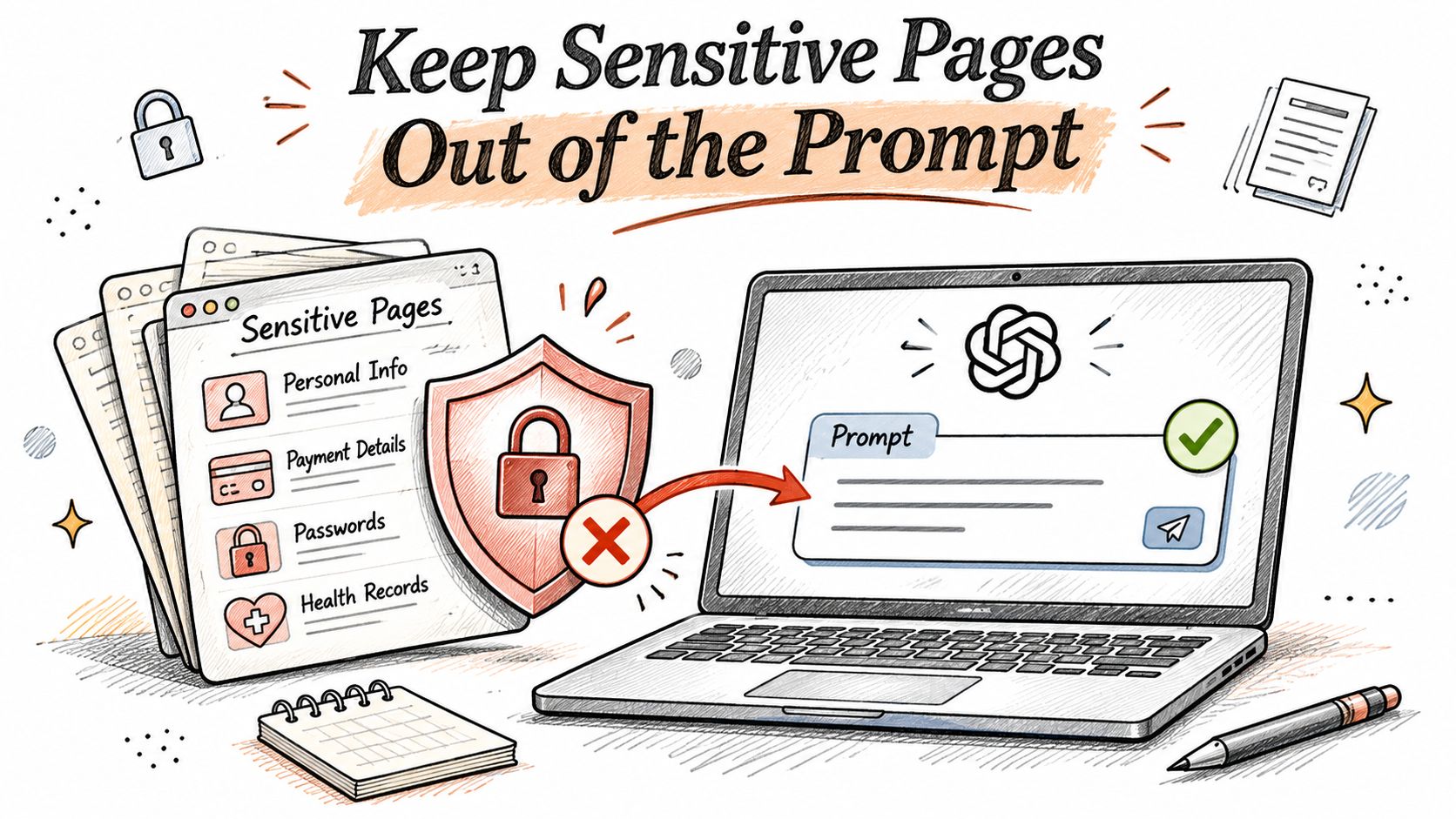
Accuracy is only half the risk. The other half is what the file reveals once it is uploaded, including facts the PDF never labels as sensitive.
A model processing invoices can infer who pays whom and on what terms. A contract review can surface employment information, health details, ownership structures or a dispute buried in an attachment. That exposure does not live only in training data. It sits in prompts, provider logs, who can open the conversation, and analytics about which files you ask about.
NIST describes its Artificial Intelligence Risk Management Framework as a voluntary framework for building trustworthiness into the design, development, use and evaluation of AI systems, and its privacy guidance names data minimization, de-identification and aggregation as ways to support privacy-enhanced AI, per the NIST AI Risk Management Framework. Five habits follow from that.
- Send the pages you need. If the question concerns one schedule, upload that schedule rather than a 200 page binder.
- Mask what the question does not require. Account numbers and personal names rarely need to reach the model.
- Separate access to the file from access to the summary. Not everyone who reads the synopsis should open the source.
- Cap retention on intermediate material. Extracts, snippets, embeddings and chat history all count.
- Recheck the path when you switch models. A new provider is a new processor on the same document.
Deletion is not absolute
Ask what happens to the original, the OCR text, the snippets, the embeddings and the summary if you later request deletion. Under the EU framework, the right to erasure covers personal data that is no longer needed or was used unlawfully, and the European Commission's guidance for individuals also recognises exceptions for freedom of expression, legal compliance and legal claims. Statutory retention duties and litigation holds can block a delete on exactly the business documents people summarize most.
At BromeAI, our stated privacy arrangements pair zero data retention agreements with every model provider and the exclusion of conversations and files from training with user-controlled deletion from your profile, so the delete request and the retention exception are both visible rather than implied.
The upload test: if you would not email this file to an outside reviewer, do not paste it into a summarizer prompt without masking it first.
Prompt moderation is a separate control worth setting up before a team uploads anything, and Veevoo's prompt moderation tools cover the checking layer between a user and the model.
Record the Evidence Before You Send the Summary
The audit is worthless if the reader cannot see it. Turn it into a record a colleague can verify in under a minute, and never send a synopsis without one.
- File name and page count.
- Must-keep list with a covered count, for example 5 of 5.
- Unsupported lines, which must be 0.
- Contradicted lines, which must be 0.
- Pages the extractor could not read, for example page 14, an image-only signature page.
- Entailment rate, entailed lines divided by total lines.
- Date and model used.
That record answers the question a reader has, which is not how short the summary is but which sentence they should double-check before signing. For guidance on assembling these fields into something a team can circulate, see how to generate a report from your findings.
One repair, before and after
Source, page 7: either party may end the deal on 30 days notice except during the first 12 months.
Draft: either party may end the deal on 30 days notice.
Repaired: either party may terminate on 30 days notice, but not during the first 12 months (p.7).
If a high-consequence line stays unsupported after one repair attempt, stop editing and read the page yourself. Then cite it, with the page number in the line rather than in a footnote.
In BromeAI, you describe the outcome of a multi-step job rather than a sequence of prompts. The task list appears before anything runs, sources come back tied to each part of the answer, and in document analysis every element of the answer is attached to the file it came from. Files stay in context when you switch to another model, so a second reading of the failed lines happens on the same documents rather than a fresh upload.
A fluent summary that drops one date is worse than a clumsy one that keeps it, and that trade-off is the whole job. BromeAI gives you one workspace where PDFs, DOCX and XLSX files are read together, each answer element stays tied to the file it came from, and you can switch models for a second pass without losing the documents. Upload a contract, a paper or an invoice bundle at BromeAI, write your five must-keep items in the prompt, and check that every line comes back with a page behind it.