AI Agents vs AI Assistants: Which Fits Your Work
You've got five tabs open, a document to check, three sources to find, and a summary due before lunch. You ask an AI tool for help and get a tidy paragraph back. It's useful, but you're still the one doing the searching, the copying, the cross-checking, and the deciding what happens next.
That's the gap many encounter before they have words for it. One tool answers. Another tool goes and does the legwork, then brings you something you still need to review. Choosing wrong in the AI agents vs AI assistants debate doesn't just waste a subscription. It decides how much control you keep, how much checking you inherit, and what happens when a step goes wrong halfway through.
I judge these systems by authority, not by label. Who picks the next step, who can change a record, and who has to clean up after a bad result matters more than whether a vendor calls a feature agentic.
Table of Contents
- What Separates an AI Assistant from an AI Agent
- Autonomy as a Level of Authority, Not a Product Type
- How an Agent Works Through a Multi-Step Task
- Choosing Between Assistant and Agent by Task Risk
- Use Cases for Students, Researchers and Business Teams
- The Review Workload Agents Leave Behind
What Separates an AI Assistant from an AI Agent
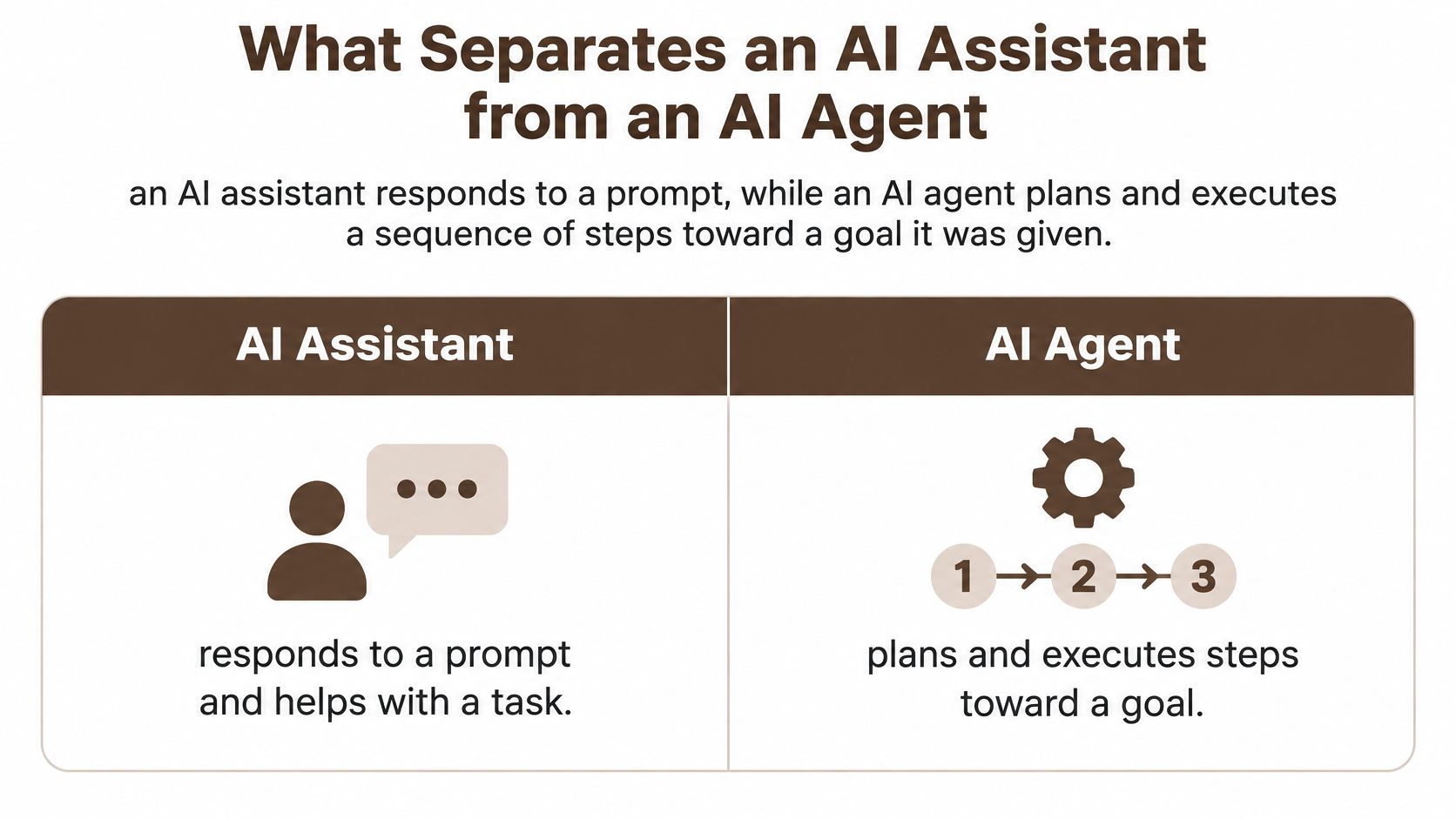
An AI assistant responds to a prompt, while an AI agent plans and executes a sequence of steps toward a goal it was given. That single sentence explains most of the practical difference. The assistant waits for your next instruction, the agent decides what to do next inside the limits you've set.
| Criterion | AI assistant | AI agent |
|---|---|---|
| Trigger | A user prompt in the conversation | A goal, schedule or event that starts a workflow |
| Steps per request | One response or one predefined action | Several planned steps, often with intermediate checks |
| Tool and data access | Usually limited to what the user provides or a single tool call | Searches the web, reads sources, invokes tools and generates artifacts |
| Handling intermediate results | Not needed, because the user reviews the answer | Interprets each result and decides the next action |
| Who stays in the loop | The user at every turn | The user sets the goal and approves risky steps |
| Typical output | A draft, answer, summary or recommendation | A completed task with sources and a record of actions |
| Typical example | Summarize a contract clause the user pastes | Compare five vendors, extract renewal dates and report with sources |
Who Controls the Next Step
Both systems can run on the same underlying model. Model quality isn't the dividing line. Control is. With an assistant, you read the reply and choose the follow-up. With an agent, the system reads its own intermediate result and chooses the follow-up, which is why a bad search result or a weak source can steer everything after it.
Say you paste one contract clause and ask what it means. That's assistant work, quick and contained. Ask for five vendor contracts reviewed, renewal dates extracted, and a sourced report delivered, and you're asking for a chain of actions. That chain is agent work, and it needs a plan you can inspect before it runs.
Practical rule: If the task needs one answer, use an assistant. If it needs a chain of actions, consider an agent and inspect the chain.
Why Labels Mislead
Many products label ordinary chat features as agentic. Capgemini's 2025 research warned that reported adoption figures may be overstated because organizations use inconsistent definitions for AI agents and generative-AI assistants. Judge a system by behaviour, not branding. Does it sequence actions independently, use tools or data sources, recover from an intermediate result, and return a completed outcome.
For a fuller grounding in how agents are defined, the CodeWords guide to AI agents is a useful reference. If you're setting up a shared place for this work, read up on building an AI workspace that keeps conversations and files together before you scatter tasks across tools.
Autonomy as a Level of Authority, Not a Product Type
Treat autonomy as a dial you set per task. At the low end the system suggests. Then it drafts for your edit. Higher up it acts with your approval at defined points. At the top it acts alone and reports afterwards. The same platform can sit at different points on that dial for different jobs.
IBM's definition of agentic workflows describes an AI agent as a system that can perform tasks on a user's behalf by designing its own workflow and using available tools. IBM describes those workflows as iterative processes where agents reason, plan, make decisions, take actions, and refine their work with minimal human intervention. The key word is behalf. Someone granted that authority, and someone can withdraw it.
Three Levels You Can Picture
- Draft only: An assistant writes a reply to a client. You read it, edit the tone, and send it yourself. Nothing leaves your control.
- Act, then wait: An agent compiles a sourced market report and generates a chart, but nothing is published until you approve the final version.
- Act and report: An agent runs a scheduled data pull every Monday and files the result. No records change, so no approval is needed each time.
A system can research a topic fully on its own and still be barred from sending an email, changing a record, or approving a contract. Those are separate permissions. If you want a concrete view of how approval changes with risk in inboxes, you can compare email agent autonomy levels and map the same thinking onto your own tools.
More autonomy also means more failure modes. A wrong plan, an invalid tool input, or a misread source doesn't stay in one reply. It carries into the next step and the one after that. An assistant's mistake is usually visible in the answer in front of you. An agent's mistake can hide three steps back.
Before you grant access, ask what happens if this step is wrong and whether it can be undone. If you can't answer both parts, lower the authority.
I would set the dial by consequence, not by convenience. Reading is cheap to delegate. Writing to a system of record is not.
How an Agent Works Through a Multi-Step Task
Take one concrete job. You want a comparison of three transcription tools with sources and a summary image. With an assistant, you'd run each search yourself and paste results back and forth. With an agent, you describe the outcome once and review the finished package.
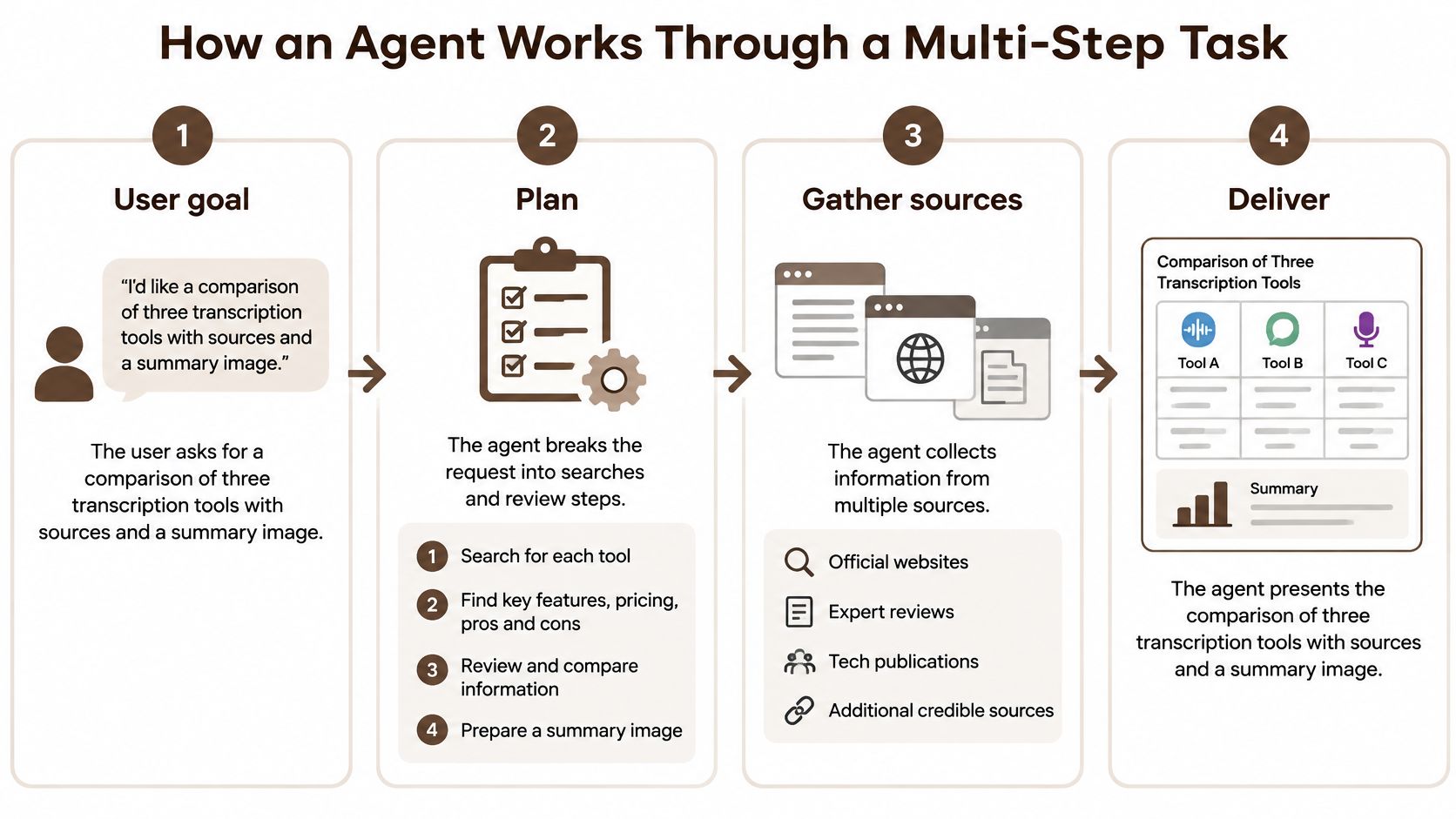
Agentic AI carries out multi-step work on its own, including searching the web, reading sources and generating images, then reports back once every task is done. In BromeAI's agentic mode, that work shows as a visible task list so you can see what the system intends to do and what it has finished. Here's how that run should unfold.
The Run Step by Step
- State the outcome: You ask for the comparison, the criteria that matter to you, and the image. The failure to watch for is a vague goal, because the agent will fill gaps with its own assumptions about price, accuracy, or language support.
- Review the plan: The agent breaks the goal into searches, source reading, comparison writing, and image generation, and shows that list before anything runs. Remove or reorder steps here. A plan that misses a criterion you care about won't fix itself later.
- Gather sources live: It runs live web searches and selects pages to read, attaching sources to its results so you can check them. Watch for vendor marketing pages treated as neutral evidence, and for old pricing presented as current.
- Check and retry: It discards weak sources and retries a failed search with different terms. Runs can stall, since a tool error or an empty result can stop progress unless the system tries another route or asks you.
- Produce the artifact: It generates the summary image from the comparison it wrote. Check that numbers in the image match numbers in the text, because a mismatch is easy to miss and embarrassing to share.
- Report back complete: It delivers only after every task is finished, with sources attached. Your job now is verification, not assembly.
Where I'd Spend My Checking Time
Open two or three cited sources before you use the result, especially any source behind a price or a headline claim. Confirm the page supports the sentence that cites it. That takes minutes and catches the most damaging errors.
A finished agent report feels authoritative because it's complete. Completeness isn't accuracy. Check the sources behind the claims you'll repeat to someone else.
If you're curious how multiple specialised agents divide this kind of work between them, this explainer on how a mixture of agents splits a job across models shows the mechanics. For a single user, though, one visible plan and attached sources beat invisible complexity every time.
Choosing Between Assistant and Agent by Task Risk
Don't choose by task size. Choose by risk. Four criteria decide most cases in the AI agents vs AI assistants choice, and you can score a task against them in under a minute.
- Reversibility: Can each action be undone without cost or embarrassment.
- Impact: What money, privacy, or reputation is exposed if a step is wrong.
- Ambiguity: Whether the goal has one clear right answer or needs judgement along the way.
- Audit needs: Whether someone later must see who did what, when, and based on which source.
| Situation | Reversible | Privacy or financial impact | Recommended system |
|---|---|---|---|
| Drafting an email the user will edit | Yes, fully | Low | Assistant |
| Summarizing a document the user uploaded | Yes | Medium if the document is confidential | Assistant, with the user checking the summary |
| Multi-source web research with a written brief | Yes | Low | Agent, with the user checking the cited sources |
| Cross-checking invoices across several files | Yes, until payment is made | High | Agent flags duplicates, a person approves payment |
| Sending a message or changing a record | No | High | Assistant drafts, person confirms, or agent with an approval gate |
| Approving a contract or financial commitment | No | High | Assistant only, a person makes the decision |
| Generating images for a content draft | Yes | Low | Either, agent when several stages are chained |
Splitting a Task Between the Two
You don't have to pick one system for the whole job. Let an agent gather and cross-check, then let a person or an assistant handle the decision. Invoice checking works well this way, since the agent can flag duplicates across files while a person approves any payment. The irreversible step stays human.
If you couldn't explain the result to a colleague in your own words, keep the assistant in the loop and make the call yourself.
A Short Decision Sequence
- Write the outcome: Describe the finished result, not a list of prompts.
- Mark reversibility: Note which actions can be undone and which can't.
- List the data: Name what's involved and whether it's confidential.
- Place approval gates: Put a human check before every irreversible step.
- Count sources and tools: Several of either points to an agent with a visible plan.
- Default to assistant: If the task fits in one exchange, don't add autonomy you don't need.
Start narrow. KPMG's Q1 2025 AI Pulse found that 65% of organizations surveyed were piloting AI agents in 2025, up from 37% in the previous quarter, but only 11% had deployed them, while weekly knowledge-assistant usage reached 61%. Piloting is easy. Deploying safely is the hard part, so begin with one bounded workflow.
Two practical checks before you upload anything sensitive. First, automatic routing sends each question to the AI model best suited to it, which helps quality but means you should know which providers may handle your files. Second, BromeAI does not use users' conversations or files for AI training, and you should hold any platform you test to that same explicit standard in its data-handling terms before contracts or invoices go in.
Use Cases for Students, Researchers and Business Teams
The pattern repeats across audiences. Assistants help you think through one thing. Agents assemble several things for your review. Availability drives a lot of this everyday use, since Microsoft's 2025 Work Trend Index reporting found that 47% of respondents said 24/7 availability was the leading reason employees turned to AI instead of a colleague.
Students and Researchers
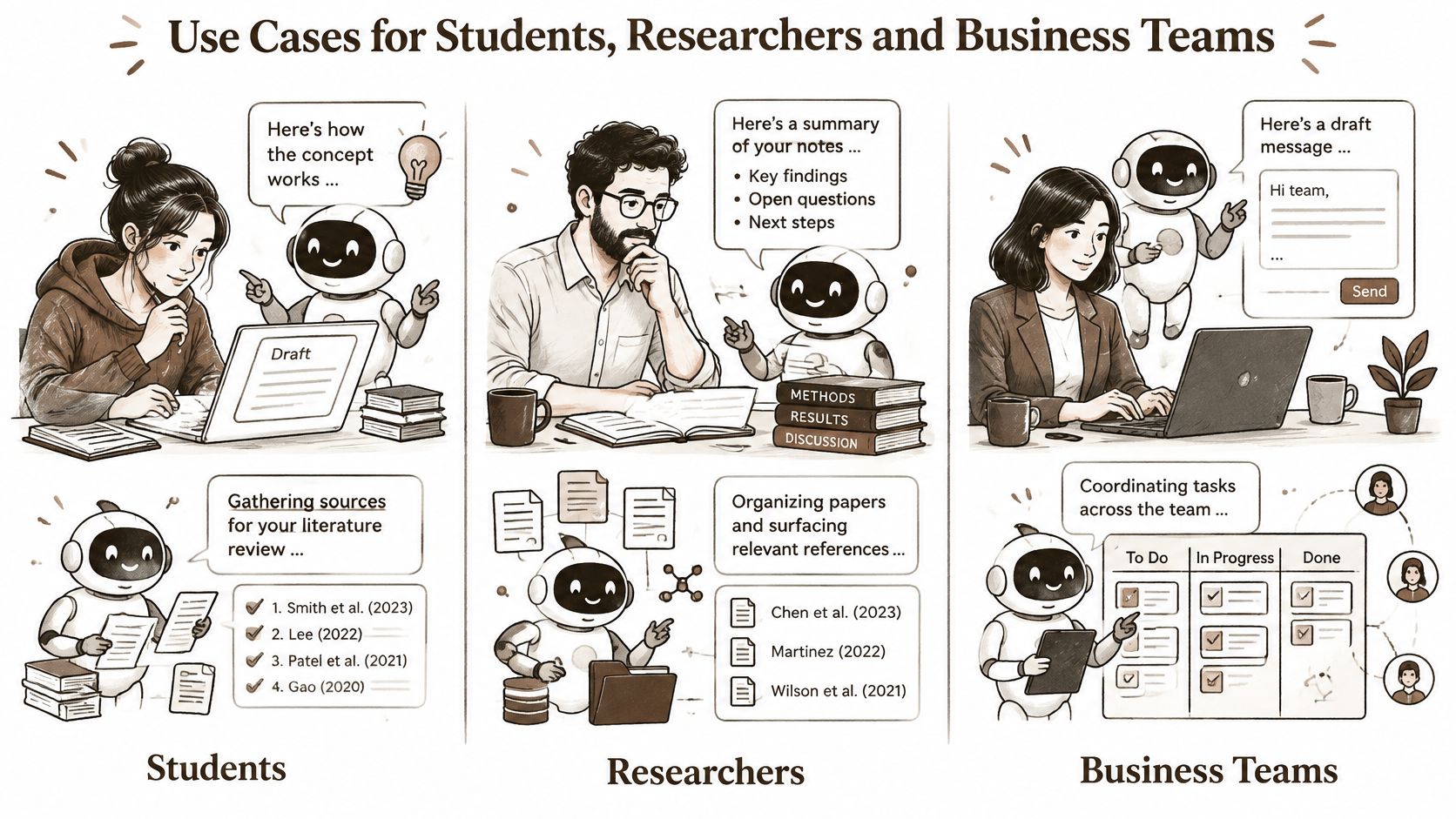
A student uses an assistant to explain a concept in plainer words or check a paragraph they've drafted. The learning stays theirs because they're steering each step. An agent fits the literature hunt instead, gathering candidate sources for a review and listing citations the student then verifies one by one. Skipping that verification is how invented references end up in submitted work.
Researchers get more from the agent side. It runs multi-source web searches and reads selected pages, which saves the mechanical part of a literature scan. Judging relevance, method quality, and whether a source deserves trust stays with the researcher. If that workflow sounds familiar, these research workflows built around source gathering and checking show how to structure it.
Engineers, Creators and Business Teams
An engineer asks an assistant to explain unfamiliar code or debug a snippet. That's fast and low risk. An agent can run a chain of tool calls across a project, but I'd want the engineer reviewing each change before it lands, because one wrong assumption early can produce a long trail of confident edits.
Creators split work the same way. An assistant rewrites captions and headlines. An agent builds a sourced research brief and produces matching visuals in one run, so the creator reviews a package instead of assembling one.
Business professionals feel the contrast sharpest. An assistant summarizes one contract clause you've pasted. An agent cross-checks figures across spreadsheets and invoices, flags duplicates, and leaves the approval to you. The value is in the cross-checking across files, not in any single answer.
Adoption is real but still narrow. McKinsey's 2025 global survey of 1,993 participants across 105 countries found that 62% of respondents' organizations were at least experimenting with AI agents, yet in any individual business function no more than 10% of respondents said their organization was scaling AI agents. Start where a workflow repeats and the checks are clear enough to write down.
The Review Workload Agents Leave Behind
Agents don't automatically save time. They move time. You stop doing the searching and assembling, and you start reviewing sources, inspecting intermediate actions, approving risky steps, and recovering from errors. If you don't measure that second pile of work, you can't say whether the agent helped.
The evidence cuts both ways. A study of adaptive oversight across 5,000 synthetic enterprise tasks in financial processing, code generation and customer support, published in Discover Artificial Intelligence, reported 98.2% task success while requiring human intervention on 14.5% of decision steps and reducing latency by 89% versus a static human-oversight baseline. Those tasks were synthetic, and the result depended on calibrated thresholds and a console showing each proposed action and its rationale. It's a design lesson, not a promise.
Benchmarks tell a sobering story too. LiveAgentBench results reported that language models alone completed approximately 13.48% of missions, tool-equipped agents completed about 23.85%, and humans completed roughly 69.25%. Tools help a lot, and agents still fail often enough that recovery planning isn't optional.
| Metric | AI assistant | AI agent | How to measure |
|---|---|---|---|
| Accuracy of a single answer | Primary measure | Secondary measure | Check answers against a reference set |
| Task completion | Not the main measure | Primary measure | Share of runs that reach a verified end state |
| Human intervention rate | Every turn by design | Approvals and corrections per run | Count interventions per task |
| Time to completion | Seconds per reply | Median minutes per task | Log start and end times for each run |
| Source verification time | Usually short | Often the largest review cost | Time taken to check each cited source |
| Cost per successful outcome | Subscription or usage cost per answer | Tokens across all steps plus review time | Divide total cost by completed tasks |
What to Log on Every Run
Keep an evidence trail you could hand to a colleague. Record the model used, steps taken, tool calls, retries, human interventions, and cited sources for each run. Without that trail, a wrong result is just an opinion you can't debug.
- Count interventions: Approvals, corrections, and restarts per task tell you the supervision cost.
- Time the checking: Source verification is usually the biggest hidden cost, so measure it separately.
- Price the outcome: Divide total cost, including your review time, by tasks that completed.
For teams building software with agents in the loop, this breakdown of human oversight across AI development stages shows where checkpoints belong. The principle transfers to any workflow. Oversight isn't a brake on autonomy. It's what makes autonomy safe to use.
An agent that asks for clarification at the right moment beats one that finishes faster and quietly gets it wrong.
Put the distinction to work on your next real task. Use the conversational side of BromeAI for single answers and drafts, then switch to its agentic mode for one bounded job with a visible plan, live web search, and sources attached for checking. Start with a low-risk research brief, time your review, and you'll know within one run whether the agent saved you effort.